
Making Accessibility Count: A Conversation with Dr Atm Alam
Accessibility in higher education is often discussed in policies and frameworks — but what does it look like in practice, week by week, module by module?
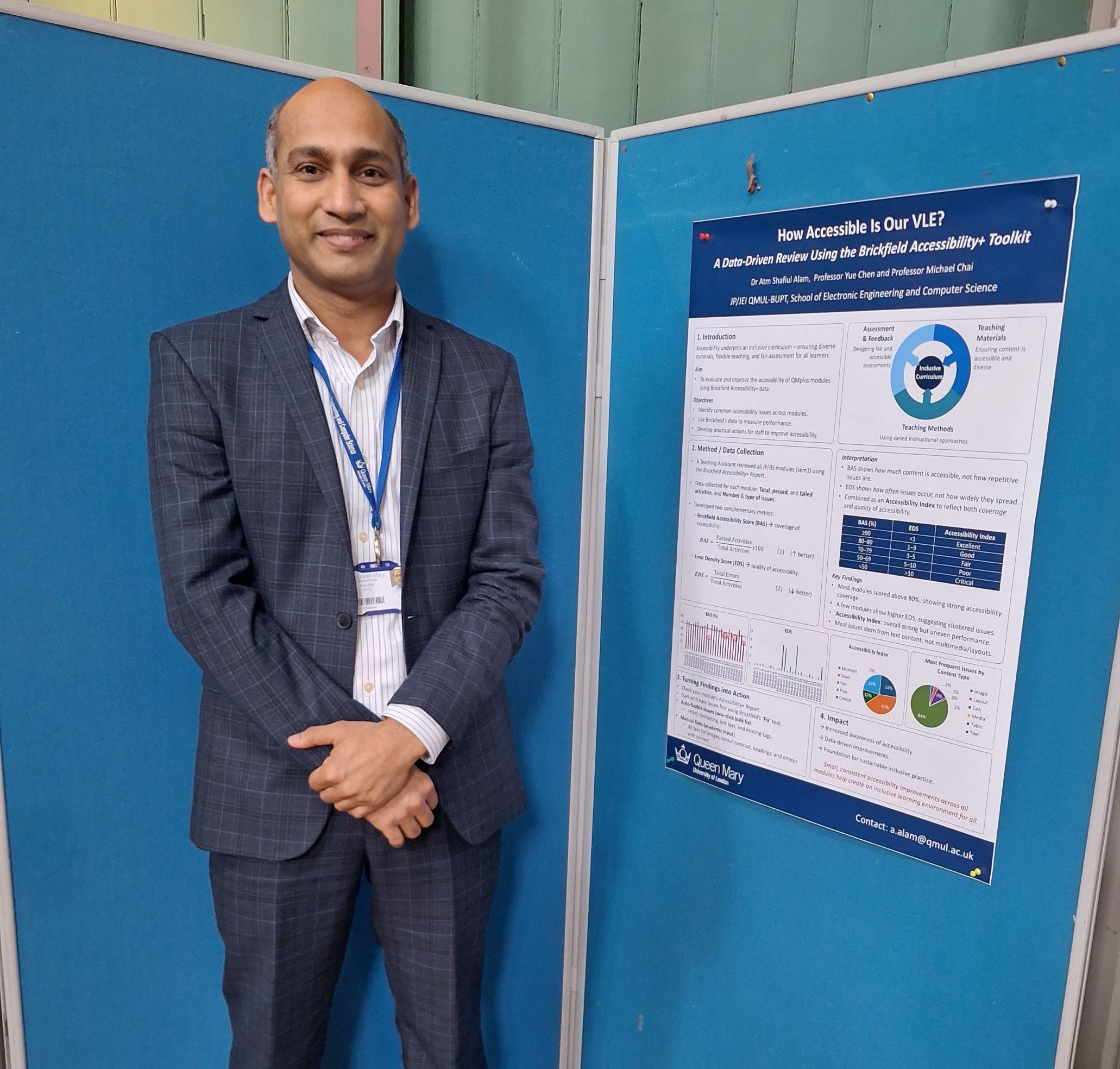
Dr Atm Alam in front of his poster
Ahead of Global Accessibility Awareness Month (May), TELT’s Wenqing Chen and Catherine Mclean sat down with Dr Atm Alam, Lecturer in the School of Electronic Engineering and Computer Science, to talk about the practical accessibility work he’s been leading at Queen Mary. Much of this work centres on supporting colleagues to use the Brickfield Accessibility+ Toolkit in QMplus — not as a compliance exercise, but as part of everyday good teaching practice.
“The aim is to make accessibility normal”
TELT: Could you tell us a bit about the work you’ve been doing this year around accessibility?
Atm: Over the last academic year, I’ve been building on wider work around embedding inclusivity within the curriculum, with the valued support of Prof Yue Chen and Prof Michael Chai. A key part of this has been developing six practical, lightweight actions that colleagues can realistically take, the small changes that don’t require re‑designing everything from scratch.
Alongside that, I’ve been encouraging colleagues to review their QMplus module areas using the Brickfield Accessibility+ Toolkit: identifying common issues, sharing practical guidance, and raising awareness of how accessible content benefits all learners. The overall aim has been to make accessibility a normal, ongoing part of course design — not something people only respond to when a problem is flagged.
“The hardest fixes are the ones that need judgement”
TELT: From what you’ve seen, what are the trickiest accessibility issues for staff to fix?
Atm: Many issues are relatively straightforward and can be addressed quickly using Brickfield’s bulk-fix tools — things like formatting errors or non-descriptive links. Those features are incredibly helpful.
The trickier issues are the ones that need human judgement. Writing meaningful alt text, creating clear heading structures, checking whether tables are genuinely usable — those things take time and thought. They depend on understanding what the content is trying to do and how students will engage with it.
But I think it helps to reframe this. These aren’t really “extra accessibility tasks”, they’re just good content design. And ultimately, they’re about improving the learning experience.
Small changes, big impact
TELT: Have you seen any real impact on students from these changes?
Atm: Yes, and there is one moment in particular has stayed with me.
A few years ago, I noticed a student arriving early to class and setting up his phone on a tripod pointed at the projected slides. I assumed he was recording the lecture. Later, when I asked how he was finding the sessions, he explained that he was using his phone to zoom in on the slides because he was struggling to read the text — even though the font size seemed large enough.
That prompted me to revise my slides: improving font size, colour contrast, and layout, and the issue disappeared. What struck me most was that the student hadn’t raised it as a problem. He’d simply found a workaround.
That experience was a powerful reminder that accessibility issues are often invisible to staff because students adapt quietly rather than raise concerns. Proactive design is how we remove those barriers before they affect learning.
More broadly, since raising awareness among colleagues, I’ve also noticed a reduction in accessibility errors across QMplus. Small changes, made consistently, really do add up.
Looking at accessibility through data
TELT: You’ve also been approaching this work from a data perspective. Can you tell us more about that?
Atm: Yes, this is something I’m really keen to develop further. Raw error counts don’t always tell the whole story. Two modules might show the same number of accessibility issues, but one could contain far more content overall.
To address this, I developed two complementary metrics:
- Brickfield Accessibility Score (BAS), which looks at coverage: what proportion of activities are accessible?
- Error Density Score (EDS), which looks at quality: how frequently errors occur relative to the amount of content.
Together, these metrics provide a more meaningful picture of where a module actually stands. A high BAS with a low EDS suggests strong, consistent accessibility. A low BAS with a high EDS signals that targeted attention is needed.
My hope is that approaches like this can support more informed conversations about accessibility institution‑wide, and it’s not just for compliance, but as a way of understanding the quality of the digital learning experience.
This poster outlines the methodology behind the Brickfield Accessibility Score (BAS) and Error Density Score (EDS) and summarises findings from an internal review of QMplus modules. Dr Alam presented this work at a teaching and learning workshop to support discussion about accessibility data and interpretation. (Displayed with permission.) The pdf version can be found on TNE Workshop 2026 - How Accessible Is Our VLE v1.1.pdf [PDF 741KB].
Making accessibility part of everyday practice
TELT: What’s helped people see accessibility as ongoing rather than a one‑off task?
Atm: Keeping accessibility visible is important — through guidance, training materials, and regular reminders in meetings. The more often people encounter it, the more naturally it becomes part of everyday practice.
Listening to students also has a big impact. When staff hear directly how accessibility improvements support learning, it shifts perspectives and makes the value of the work very tangible.
Encouraging small, regular actions rather than large one‑off efforts is key. If accessibility is considered each time someone updates a QMplus page or creates new materials, it becomes sustainable rather than overwhelming.
I also think it’s valuable to keep accessibility as a standing item in SSLC (Student-Staff Liaison Committees) meetings. That gives students a safe, structured space to raise concerns and reinforces that accessibility is a shared responsibility.
One practical piece of advice
TELT: Finally, what’s one piece of advice you’d give staff who want to improve accessibility?
Atm: Think about accessibility from the very beginning, not as a retrofit. It is far easier to build it in than to go back and fix it later.
I’d describe it as two steps:
- Design inclusively from the outset. For example, using clear and consistent heading structures in documents, slides, and QMplus pages. It’s a small change, but it dramatically improves navigation for everyone.
- Check regularly in QMplus . When you log in, take a quick look at your Brickfield summary. Many issues really are just a click away from being fixed.
When accessibility becomes part of your routine, it stops feeling like an extra task. It simply becomes good teaching practice.
Related resources and support
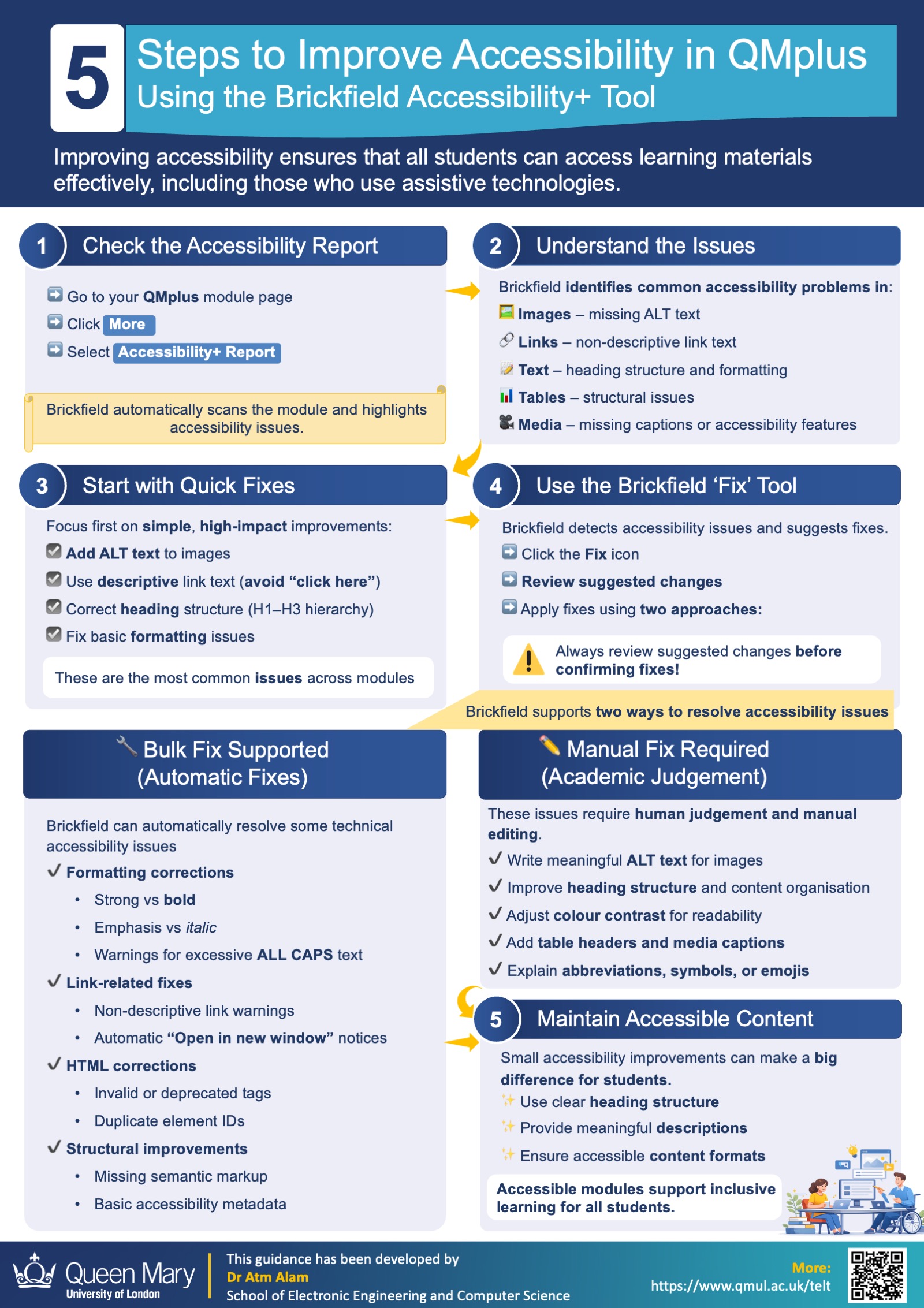
A concise practical guide developed by Dr Alam to support colleagues in taking action on digital accessibility. (Displayed with permission.) The pdf version can be found on 1-Pager Guide to Improve Accessible in QMPlus-.pdf [PDF 454KB].
Dr Alam’s work demonstrates how practical, manageable changes can improve the accessibility of digital learning materials and the student experience more broadly.
Dr Alam has also developed additional practical resources to support staff who wish to take the next steps in improving accessibility.
For colleagues who would like to explore this further, TELT provides training, guidance, and self‑paced resources through QMplus, including:
- Brickfield Accessibility Toolkit : Practical guidance on using Brickfield to identify and address accessibility issues within QMplus modules.
- Digital Accessibility and Learning Materials: A broader introduction to digital accessibility principles, good practice, and inclusive content design.
Whether you’re looking to improve the accessibility of your module, refresh your understanding of best practice, or explore what tools are available to you, TELT is here to help.
/filters:format(webp)/prod01/channel_262/queen-mary-university-of-london/media/qmul/media/news/items/pr/SML-badge-large.png)
 News story: